
Google Ads for Contractors: What the Lead Actually Costs

Cost per lead is the number every Google Ads dashboard hands you first, and it’s the number most contractors use to decide whether the campaign is working. It shouldn’t be.
Google Ads counts a conversion the moment someone completes the action you told it to track, a form fill or a phone call, and stops there. It has no way to know if that call was a burst pipe or someone pricing out a job for next spring.
Two contractors can look at the exact same cost-per-lead figure and be running two completely different businesses underneath it.
This matters most for contractors still setting up a Google Ads account for the first time, because the habit of trusting the dashboard number starts on day one and rarely gets questioned later.
In short: Cost per lead in Google Ads measures a form submission or a call, not a completed job. Contractors comparing that number month to month, or against another contractor’s, are comparing a proxy metric that hides close rate, job value, and lead quality. The number worth tracking is cost per booked job, not cost per lead.
What Does “Cost Per Lead” Actually Measure in Google Ads?
Google Ads defines a conversion action as a specific customer action you’ve told the platform to count as valuable, an online purchase, a form submission, or a phone call. That’s the entire definition. The platform has no visibility into what happens after the form is submitted or the call ends. It doesn’t know if your office booked the job, quoted a price the caller balked at, or never called back because the request was outside your service area.
Cost per lead is simply your ad spend divided by however many of those tracked actions happened. It’s an accurate number. It’s just answering a much narrower question than most contractors think it’s answering. It tells you what it cost to generate contact, not what it cost to generate work.
Why Two Contractors With the Same CPL Can Run Completely Different Businesses
Picture two roofing contractors in the same metro, both running Google Ads, both looking at a cost-per-lead figure that happens to be identical this month.
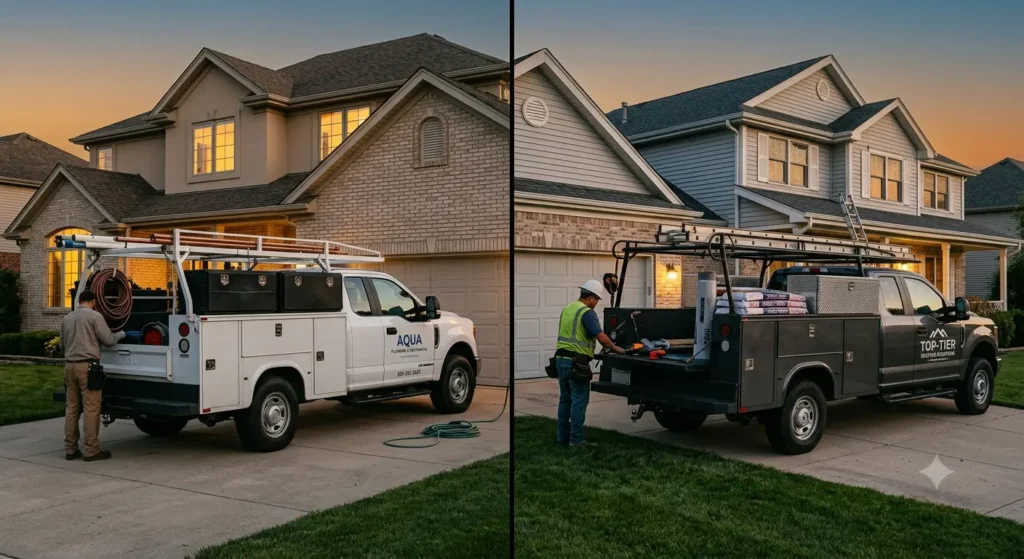
Contractor A’s campaign is built around emergency repair terms. Every lead is someone with an active leak, ready to book same day, and the office closes most of them on the first call.
Contractor B’s campaign is broader, catching people researching a full roof replacement six months out, people comparing three quotes, and a fair number of homeowners just checking prices out of curiosity. The office spends real time on every one of those calls, and most don’t convert into a booked job this quarter.
Same CPL. Completely different revenue, completely different cost of sale, completely different campaign worth keeping. The dashboard can’t tell these two contractors apart, because it was never built to. Close rate and job value live in your CRM or your call log, not in Google Ads.
The Real Cost Formula: What to Track Instead of the Dashboard Number
The number that actually tells you whether a campaign is worth the spend is cost per booked job, not cost per lead:
Ad spend ÷ (number of leads × close rate) = real cost per booked job
This requires two things Google Ads doesn’t track on its own: how many of your leads turned into an actual job, and what that job was worth. Neither needs to be complicated. A simple tag in your CRM or a column in a spreadsheet, updated weekly, is enough to start seeing the real number instead of the proxy.
Once you’re tracking cost per booked job by campaign, and ideally by service line, a expensive-looking campaign on the CPL report can turn out to be the most profitable one running, because it’s sending fewer leads that close at a much higher rate. The reverse shows up just as often: a campaign with a flattering CPL that’s quietly burning budget on calls that never convert.
Where Contractor Lead Costs Quietly Inflate
A few patterns show up repeatedly once contractors start looking past the CPL number:
- Emergency and planned-job keywords sharing one campaign. “24 hour plumber” and “bathroom remodel cost” pull in searchers at completely different points in the buying decision, but if they’re bid on together, budget gets spread evenly across leads with very different close rates.
- No call tracking, or calls not tied back to campaigns. Without it, every phone lead looks identical in the reporting no matter which ad, keyword, or landing page actually drove the call.
- Service area set wider than the crew can realistically reach. Leads outside a practical drive-time radius still count as conversions and still cost money, they just rarely become jobs.
- One landing page trying to serve every trade or service. A generic “contact us” page converts worse than a page built around the specific job someone searched for, which quietly raises cost per lead before cost per job even enters the picture.
- Thin or missing negative keyword lists. Searches for “how to fix,” “DIY,” or job-seeker terms like “electrician salary” or “plumber jobs near me” can trigger ads that were never meant to reach that searcher, and every click still costs money.
None of these show up as a red flag in the CPL number. They show up as a slow, steady leak that looks like normal campaign variance until someone checks close rate by source. The same close-rate blind spot shows up on the organic side too, worth checking if you’re also ranking for local search as a contractor and treating every inquiry as equally valuable there.
How to Lower Cost Per Booked Job, Not Just Cost Per Click
Lowering cost per click is the easy lever, and it’s usually the wrong one to pull first. A cheaper click that never closes isn’t a win. A few changes tend to move the real number more reliably:
- Split emergency and planned-job intent into separate campaigns with separate budgets, so each can be judged on its own close rate instead of an average that hides both.
- Add call tracking tied to campaign and keyword, so lead quality can be judged by source instead of guessed at.
- Build a dedicated landing page per major service line, matched to what the searcher actually typed.
- Tighten the service area radius to where jobs are realistically getting won, and revisit it quarterly.
- Review the negative keyword list monthly against actual search term reports, not just at setup.
Every one of these is a change to the campaign, not the pitch to the customer. That’s deliberate. Contractors don’t need better ad copy nearly as often as they need better filtering upstream of the ad copy.
Common Questions About Google Ads Lead Costs for Contractors
Is a high cost per lead always a bad sign for a contractor’s campaign?
Not on its own. A campaign with a higher CPL but a strong close rate and high average job value can outperform a cheaper campaign that closes poorly. Cost per lead only becomes meaningful once it’s read alongside close rate and job value, not by itself.
How do contractors track close rate without expensive software?
A shared spreadsheet or a free CRM tier is enough to start. The requirement isn’t sophistication, it’s consistency: every lead logged, marked won or lost, and tagged back to the campaign or keyword that generated it.
Should emergency and non-emergency services always run in separate campaigns?
In most cases, yes. The searcher intent, urgency, and close rate differ enough between “burst pipe now” and “planning a renovation” that combining them into one campaign and one budget makes both harder to evaluate accurately.
Does call tracking replace the need to check Google Ads’ own conversion numbers?
No, it supplements them. Google Ads conversion tracking confirms that a call or form fill happened. Call tracking software adds the missing layer: what that call was actually about and whether it turned into work. Contractors have been qualifying leads this way long before digital ads existed, the tools changed, the discipline didn’t.
How often should a contractor review their negative keyword list?
Monthly, against the actual search terms report, not just once at campaign setup. Search behavior shifts, and new low-intent queries (job seekers, DIY searchers, price comparison from outside the service area) tend to creep in over time.
Cost per lead will keep showing up first in every Google Ads dashboard, because it’s the easiest number to calculate and the fastest one to report. That doesn’t make it the number worth managing to. The contractors getting the most out of their ad spend aren’t the ones with the lowest CPL, they’re the ones who know which leads turn into jobs and have built their campaigns around sending more of those.
If tracking close rate by campaign isn’t happening yet, that’s the starting point, before touching bids or budgets. Once that visibility exists, the campaign changes tend to be obvious.
Not sure whether your current Google Ads account is sending qualified leads or just cheap ones?
Get a free Google Ads audit from Tabula and see where the real cost is hiding.

Author
Carlos Rios
Carlos Rios is the Founder of Tabula. Before starting the agency, he spent his career inside companies — reporting to leaders who had no patience for vanity metrics and wanted straight answers about what was working and why. He built Tabula around that same standard: a marketing system the client owns, powered by AI and led by experts who explain the plan in plain language. Carlos studied philosophy for six years at York University and holds a Master's in Marketing from the Schulich School of Business.