How to Automate Your SMB Marketing in 30 Days (Without Hiring Anyone)

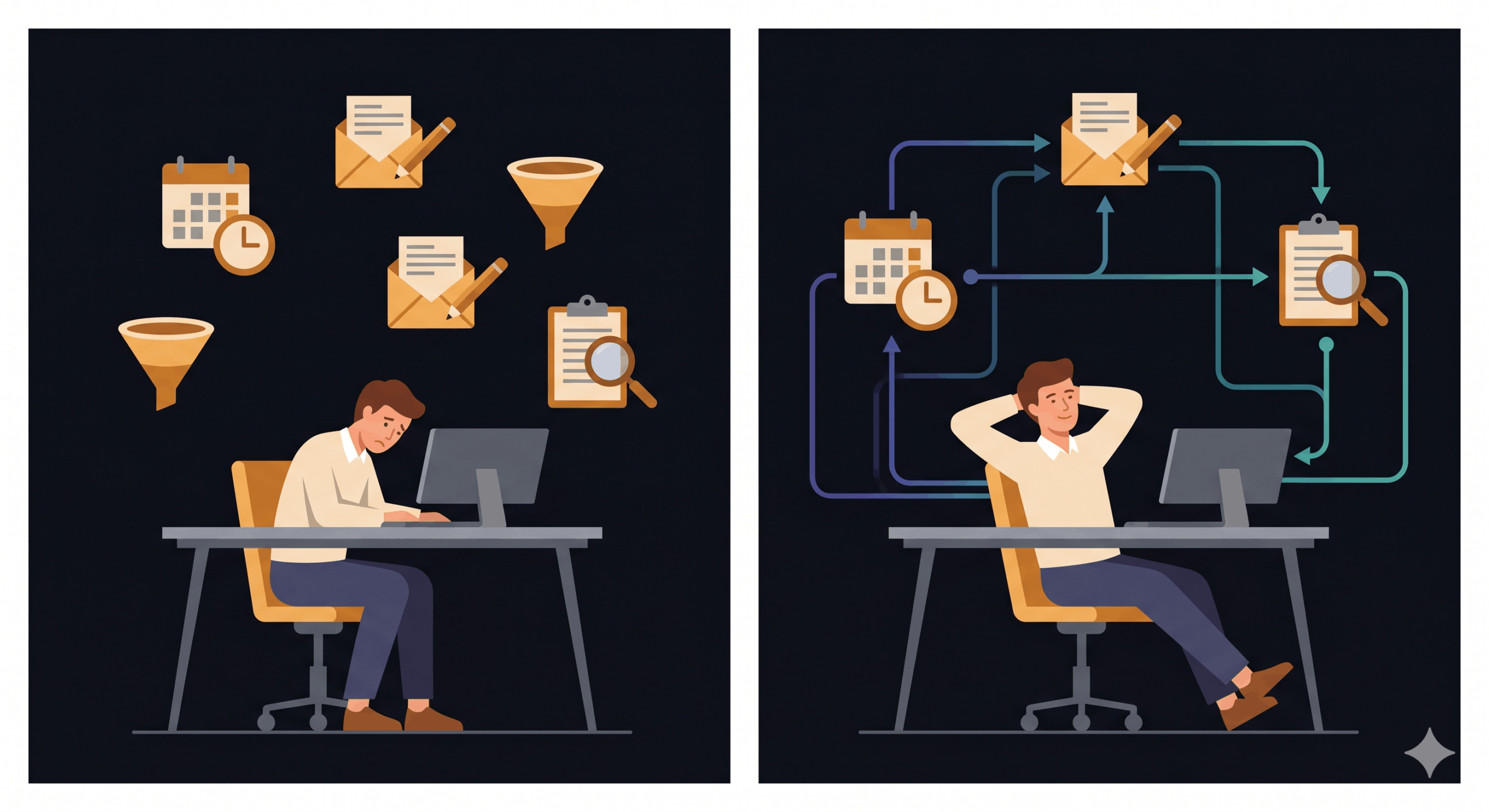
Most SMB owners aren’t bad at marketing. They’re just the only person doing it — and doing it manually, between everything else that needs their attention. Posts go out late. Follow-up emails get forgotten. Leads slip through the gap between enquiry and reply. Not because the business isn’t good enough, but because the person running the marketing is also running the business.
The fix is not a bigger team. It’s a system that keeps moving when you’re not.
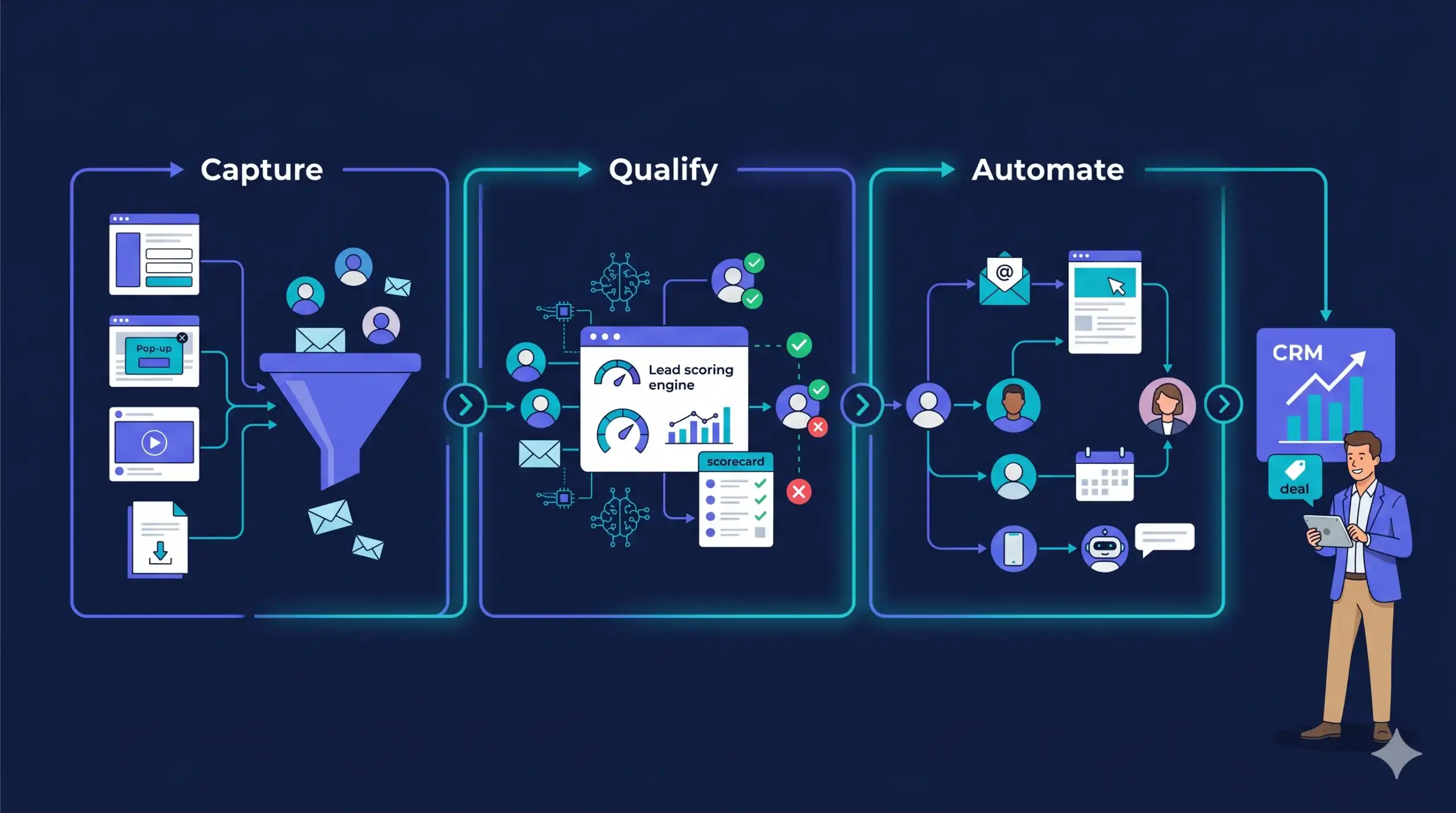
This guide is a 30-day playbook. By the end of it, your core marketing activities — email sequences, lead nurturing, social scheduling, and basic CRM follow-up — will run without you touching them every day. No new hires. No expensive enterprise platforms. Just a set of connected automations that do the repeatable work so you can focus on the decisions only you can make.
In 30 days, an SMB can automate four core marketing functions: email welcome and nurture sequences (Week 1), social media scheduling (Week 2), lead capture and CRM tagging (Week 3), and re-engagement campaigns (Week 4). The minimum viable stack costs between $0 and $150/month depending on your current tools. Start with email — it delivers the highest automation ROI at an average of $36 for every $1 spent (Litmus, 2025).
What SMB Marketing Automation Actually Covers
Marketing automation is not a tool — it is a set of rules that trigger actions based on behaviour. When someone joins your email list, an automation sends the welcome sequence. When a lead hasn’t replied in five days, an automation sends a follow-up. When a contact clicks a pricing link, an automation tags them as high-intent and notifies you.
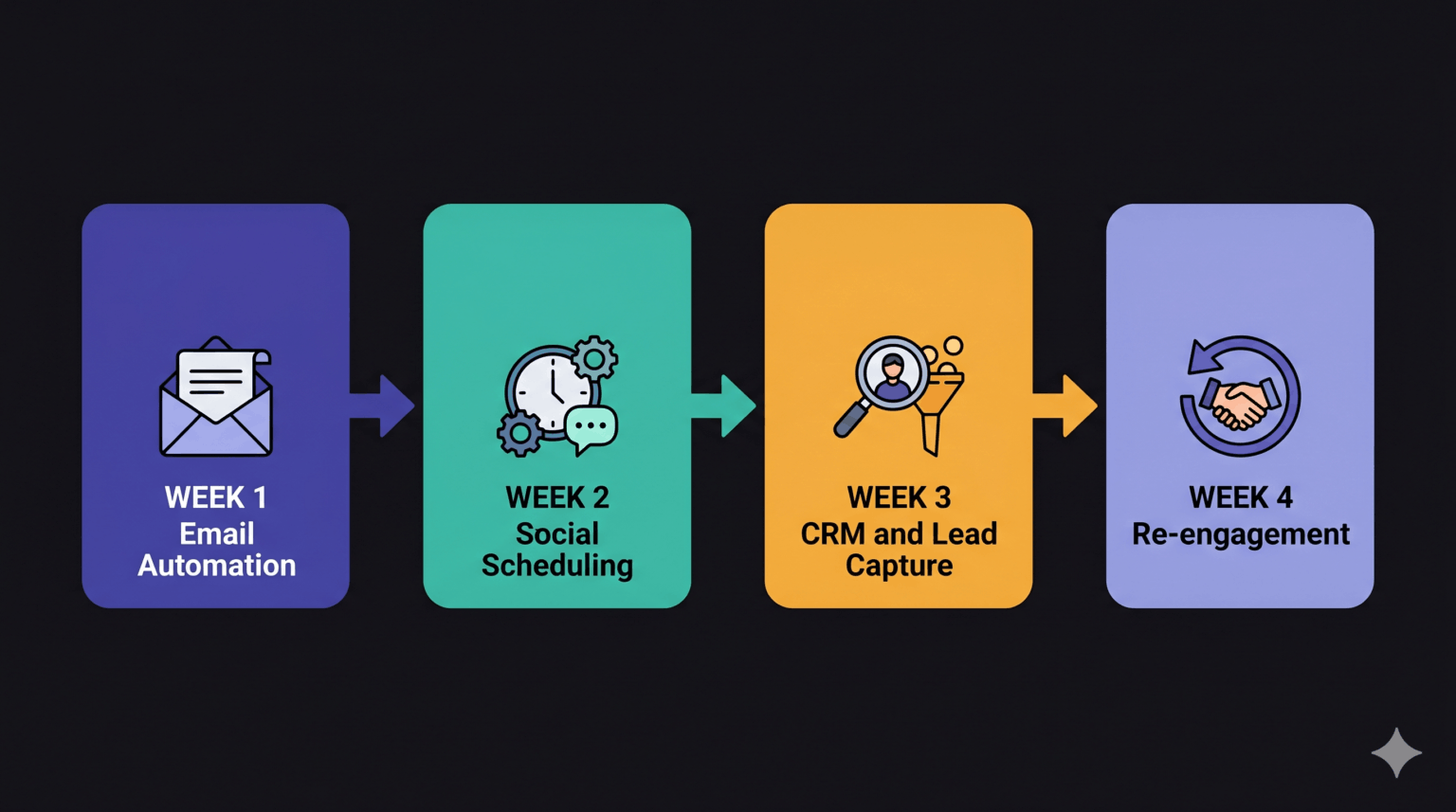
For SMBs, the four highest-leverage automations are: email nurture sequences, social media scheduling, lead capture and CRM routing, and re-engagement campaigns for dormant contacts. These four cover roughly 80% of the repeatable marketing work most small business owners currently do by hand. The remaining 20% — creative work, strategy, relationship-building — stays with you.
The common misconception is that setting this up requires weeks of configuration and a dedicated ops person. It doesn’t. The tools have improved dramatically. A basic automation stack can be live in a single focused afternoon per week across four weeks.
Week 1: Automate Your Email Foundation
What to set up
Your email list is your most valuable owned marketing asset — and the highest-ROI channel to automate first. Litmus’s 2025 State of Email report puts average email marketing ROI at $36 for every $1 spent. That return only compounds once automations are running.
In Week 1, build three sequences: a welcome sequence (3 emails over 7 days for new subscribers), a lead nurture sequence (4–5 emails over 14 days for new enquiries), and a post-purchase or post-service sequence for clients. These cover the three moments where manual follow-up most commonly gets dropped.
Recommended tools at this stage
Mailchimp’s free tier handles up to 500 contacts and covers basic welcome automations. ActiveCampaign starts at $15/month and handles conditional logic (if they clicked X, send Y). Kit (formerly ConvertKit) suits service businesses and consultants who want simpler tagging. All three integrate directly with standard lead capture forms.
One thing that consistently surprises SMB owners when they first set this up: the welcome sequence alone — three emails written once — does more relationship-building than months of manual outreach, because it arrives consistently, at the right moment, every time.
Week 2: Automate Social Media Scheduling
What to set up
Social media is the marketing task SMB owners abandon most often — not because they don’t have ideas, but because ‘post every day’ is unsustainable alongside everything else. Scheduling in batches, two to three weeks out, changes the dynamic entirely.
In Week 2, batch-create four weeks of social content in a single session (two to three hours), then schedule it using a tool that publishes automatically. The goal is never to ‘maintain’ social media reactively again — only to add reactive content on top of a baseline that’s already scheduled.
Recommended tools at this stage
Buffer’s free tier handles three social profiles and covers the basics. Later is strong for visual content and Instagram. Metricool combines scheduling with basic analytics and is well-suited to SMBs managing multiple platforms with one person. Any of these will eliminate the daily ‘I need to post something’ friction.
The threshold where social scheduling pays off most is around Week 3 — once the first batch goes out and you realise you haven’t thought about it since. That’s the moment when the system starts feeling real.
Week 3: Automate Lead Capture and CRM Routing
What to set up
Most SMB leads arrive through a form, a DM, or a phone call — and then sit in someone’s inbox waiting to be followed up. Week 3 closes that gap. The goal is a connected system where a new lead triggers an automatic acknowledgement, gets logged in a CRM, and routes to the right follow-up sequence without any manual intervention. For the leads this system captures to be worth nurturing, the traffic feeding your forms needs to be qualified — which starts with strong SEO foundations.
The minimum setup: a lead capture form (your existing contact form works) connected to a simple CRM. When a form is submitted, the CRM creates a contact, applies a tag (e.g. ‘new enquiry’), and triggers an email sequence. If you’re already using Mailchimp or ActiveCampaign from Week 1, this is an extension of the same system. Before building this out, it’s worth auditing your existing traffic sources — so the leads you’re routing are coming from searches that actually match what you offer.
Recommended tools at this stage
HubSpot’s free CRM is the most used entry point for SMBs — it handles contact management, deal tracking, and basic automation without a monthly fee. Zoho CRM has a generous free tier for teams under three users. Pipedrive suits businesses with a defined sales pipeline and starts at $14/month. For businesses already using a website builder, most now offer native CRM integrations that remove the need for a separate tool entirely.
Week 4: Build Your Re-Engagement System
What to set up
Dormant contacts — leads who enquired but didn’t convert, subscribers who haven’t opened in 90 days, past customers who haven’t returned — represent recoverable revenue that most SMBs never systematically pursue. Week 4 automates the follow-up.
A re-engagement sequence does two things: it recovers some percentage of dormant contacts, and it cleans your list of contacts who will never convert, which improves your email deliverability going forward. Build one sequence of three emails spaced five days apart. Subject line of email one: ‘[First name], still interested in [X]?’ Subject line of email three: ‘Should I remove you from our list?’ The final email recovers list hygiene and, consistently, a small percentage of re-engagements.
This is also the week to review what’s running — check open rates on your Week 1 welcome sequence, review what content performed on social, and note which lead sources are converting. You now have a system. The fourth week is about making it better.
The Tools Stack: What You Actually Need
Across the four weeks, the minimum viable automation stack for an SMB looks like this:
| Function | Options |
| Email automation | Mailchimp (free to 500) / ActiveCampaign ($15/mo) / Kit ($9/mo) |
| Social scheduling | Buffer (free, 3 profiles) / Metricool (free, 3 channels) / Later ($18/mo) |
| CRM + lead routing | HubSpot Free / Zoho CRM Free / Pipedrive ($14/mo) |
| Form / lead capture | Your existing website form — connect via Zapier or native integration |
| Connecting tools | Zapier (free tier for simple triggers) / Make ($9/mo for more complex workflows) |
| Total monthly cost | $0–$50 for basic setup. $50–$150 once you add paid tiers. |
You do not need all of these immediately. Email automation is the only non-negotiable first step. The rest follow in the sequence above. If you’d rather have the full system built and run for you, Tabula handles every step of this — from stack selection to live automation.
Common Mistakes That Stall SMB Marketing Automation
Three patterns consistently delay or derail automation rollouts for small businesses.
The first is choosing tools before defining the workflow. Tools do not create systems — workflows do. Decide what trigger you want (new lead submits form), what action follows (send welcome email, tag in CRM), and what the desired outcome is (lead books a call within 14 days). Only then choose the tool that executes it.
The second is building too much at once. A 30-email nurture sequence sounds impressive and never gets finished. A 3-email welcome sequence gets built, tested, and running in an afternoon.
The third is not testing the automations from the outside. Sign up to your own list. Fill in your own lead form. Experience the sequence your leads experience. This single step catches more problems than any technical audit.
Frequently Asked Questions
How long does it actually take to set up marketing automation for an SMB?
For a basic stack — email welcome sequence, social scheduling, and CRM lead routing — expect four to eight hours of focused setup time spread across the four weeks. Each week’s setup is a single two-hour session, not a week-long project. The time investment is front-loaded; once the automations are running, ongoing maintenance is minimal.
Do I need technical skills to set up marketing automation?
No. All four tools recommended in this guide — Mailchimp, Buffer, HubSpot Free, and Zapier’s free tier — have drag-and-drop builders and pre-built automation templates. If you can write an email and use a spreadsheet, you can build the core stack in this playbook.
What’s the minimum budget for SMB marketing automation?
The minimum viable stack costs $0/month using Mailchimp’s free tier, Buffer’s free plan, HubSpot’s free CRM, and Zapier’s free tier. This setup handles up to 500 email contacts, three social profiles, and basic lead routing. The paid tiers (ActiveCampaign, Later, Pipedrive) become relevant once you outgrow the free limits — typically after your list passes 1,000 contacts or your workflow requires conditional logic.
Will marketing automation make my communications feel impersonal?
Only if written that way. An automated email that arrives at the right moment — immediately after someone enquires — feels more attentive than a manual reply sent two days later. Personalisation tokens (first name, company name, the specific thing they enquired about) close most of the perceived gap. The SMBs who report the strongest automation results write their sequences as if they were writing to one person, not broadcasting to a list.
Thirty Days to a Marketing System That Runs Itself
The goal of this playbook is not to remove the human from your marketing. It’s to remove the manual from your marketing — so the human (you) can focus on the parts that actually require one.
By Week 4, your email sequences are running. Your social presence is consistent without being daily. New leads are being acknowledged and nurtured automatically. Dormant contacts are getting a second chance. That’s not a marketing department — it’s a marketing system. And it’s exactly what the Tabula Build → Run → Train → Own model is built around: getting the system running first, then handing you the keys.
Start with email. Set aside two hours this week. The 30-day clock starts whenever you do. When you’re ready to move faster, book a free system audit with Tabula and we’ll map the full automation stack to your specific business in 30 minutes.

Author
Carlos Rios
Carlos Rios is the Founder of Tabula. Before starting the agency, he spent his career inside companies — reporting to leaders who had no patience for vanity metrics and wanted straight answers about what was working and why. He built Tabula around that same standard: a marketing system the client owns, powered by AI and led by experts who explain the plan in plain language. Carlos studied philosophy for six years at York University and holds a Master's in Marketing from the Schulich School of Business.