How to Create a Social Media Content Calendar for Your Small Business

Most small businesses do not have a social media problem. They have a follow-through problem. The ideas exist. The intent is there. What breaks down is the system — or rather, the absence of one. A social media content calendar does not solve the question of what to post. It solves the question of when, how often, and in what format — so that showing up on any given Tuesday becomes a five-minute execution rather than a creative crisis.
A social media content calendar is a planning document that maps out what you will post, on which platform, and when. To build one that works for a small business: choose 2-3 platforms your audience actually uses, set a weekly posting frequency you can sustain, define 3-4 content themes, batch-create content once per fortnight, and track everything in a simple 7-column spreadsheet. The system works because it removes the daily decision of what to post today.
What Is a Social Media Content Calendar?
A social media content calendar is a planning document that maps your upcoming posts across platforms — including what you will post, which format you will use, and when it goes live. For a small business, the simplest version is a spreadsheet with columns for date, platform, content type, copy draft, visual asset, and status. The goal is not to plan every post months in advance. It is to eliminate the daily decision of what to post today.
Why Most Small Businesses Abandon Their Social Media Plans
The standard advice — post five times a week on Instagram, three times on LinkedIn, daily on Facebook — is designed for teams with a dedicated content manager. For a business of two to ten people, that volume is not just unsustainable; it is actively counterproductive. When the plan becomes a burden, it gets abandoned.
The businesses that stay consistent on social media are not the ones posting the most. They are the ones posting to a system. That system starts with four decisions made once, not daily.
Step 1: Choose Your Platforms Based on Where Your Customers Already Are
Before building any calendar, narrow your platform list to two or three. For most small businesses, the question is not where should we be — it is where are our actual customers spending time. A local service business typically finds more traction on Facebook and Instagram than LinkedIn. A B2B service provider will almost always see better engagement on LinkedIn. An e-commerce brand selling visually distinct products should be on Instagram before anything else.
Spreading thinly across five platforms at low quality costs more attention than it earns. Pick two platforms and show up well on them.
Step 2: Set a Posting Frequency You Can Sustain for 90 Days
The single most important variable in your content calendar is sustainability. Three posts per week maintained for six months produces better results than seven posts per week maintained for three weeks. Before building your calendar, answer this: what can you reliably produce in a week when things are busy?
A starting point that works for most small businesses: three posts per week per platform. Two content-focused posts — educational, product, or behind-the-scenes — and one engagement-focused post, such as a question, poll, or reshare. That is twelve posts per month, manageable in a single two-hour content batching session.
Step 3: Define Your Content Mix With the 80/20 Rule
The 80/20 content mix is one of the most practical frameworks for small business social media. Eighty percent of posts should provide value — they teach something, entertain, or solve a problem for the audience. Twenty percent can be promotional — they sell, announce, or drive a direct action.
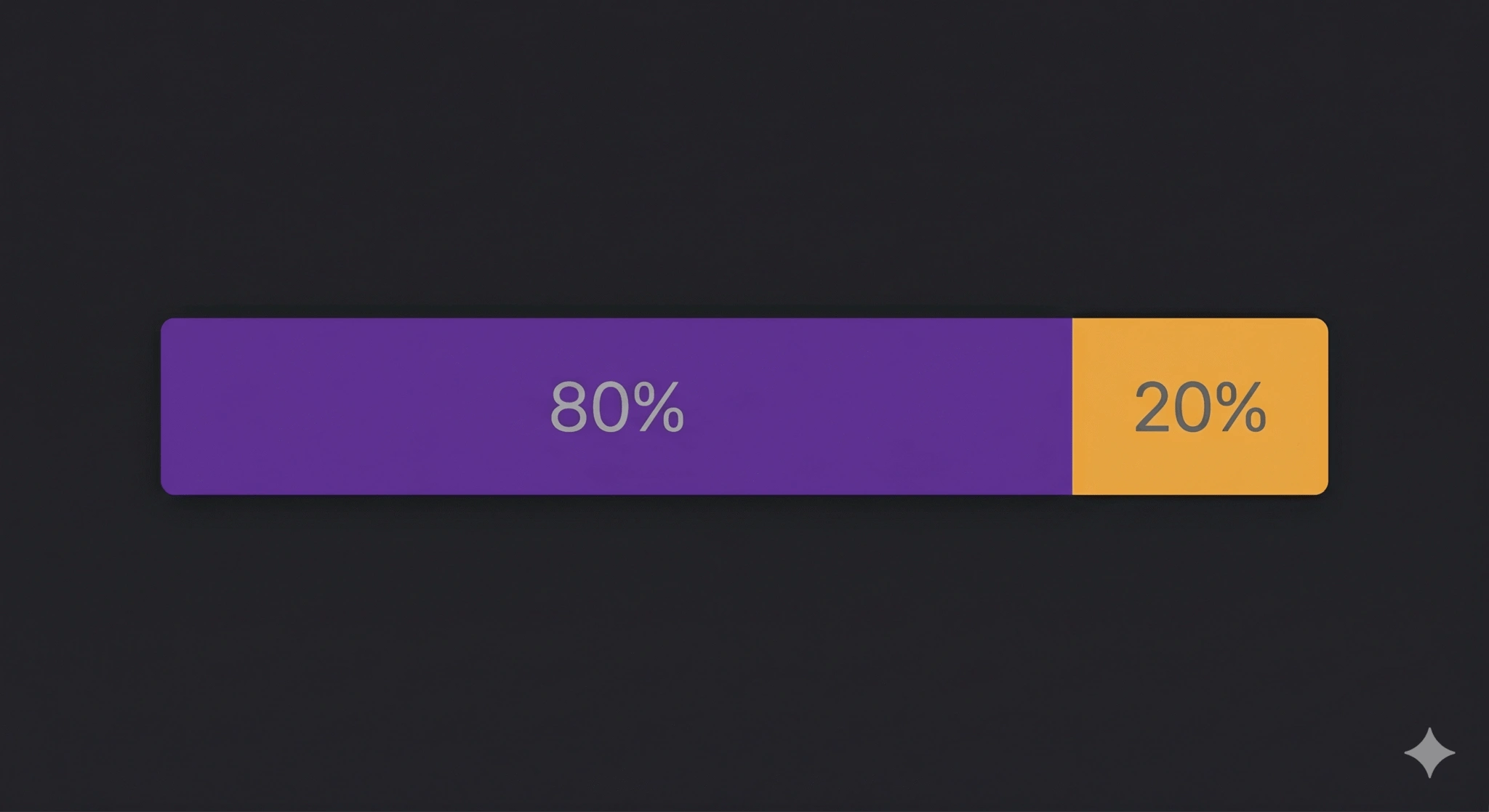
A related approach is the rule of thirds: one third value content, one third personal or behind-the-scenes content, one third promotional. Both frameworks work. What matters is choosing one and building content themes around it, so the decision is made at the system level rather than post by post. For a business running three posts per week: two posts in the value or storytelling category, one promotional.
Step 4: Build Your Content Themes
Content themes are the recurring categories your posts rotate through. They give your audience a reason to know what to expect from you — and give your team a clear brief for what to create. A good theme is specific enough to generate ideas quickly but broad enough to sustain for a year.
Examples for a small business: Client results (one real outcome or transformation per week), Behind-the-scenes (how the work actually gets done), Common questions (the thing you explain to every new customer), and Service spotlight (what you offer and why it matters). Four themes, rotating across twelve posts per month, means each theme appears approximately three times — enough repetition to build recognition without redundancy.
For small businesses building a multi-channel presence, the same themes can be adapted across platforms rather than created from scratch for each one. The full logic behind channel-specific content decisions is covered in Tabula’s guide to multi-channel marketing strategy.
Step 5: Batch Your Content Creation
The single biggest time-saver in any social media system is batching — creating multiple posts in one focused session rather than writing each one the day it goes live. For most small businesses, a fortnightly batching session of ninety minutes produces enough content for two to three weeks of posting.
Structure the session: spend the first fifteen minutes reviewing what performed well in the previous fortnight. Spend the next sixty to seventy minutes writing copy and briefing or creating visuals. Spend the final fifteen minutes scheduling everything via a tool like Buffer, Later, or Meta Business Suite. The system Tabula builds for clients does this at scale — but the manual version works for a team of two with no prior experience.
Batching is the same principle behind the 30-day marketing automation approach — front-load the thinking once so that execution runs on its own. For businesses ready to take that further, the Tabula guide on automating your SMB marketing in 30 days walks through how to apply the same logic to your broader marketing system.
Step 6: Balance Evergreen and Timely Content
Evergreen content — posts that are relevant regardless of when they are seen — is the backbone of any sustainable calendar. A post explaining how your service works, a before-and-after case study, or a list of the questions every new client asks can be drafted once and reshared every few months with minor updates.
Timely content — seasonal campaigns, industry news, trending audio, local events — is the layer on top. Plan evergreen content in advance; leave 20 to 30 percent of your calendar slots open for reactive posts. This prevents the calendar from becoming rigid while keeping it functional as a planning tool.
Step 7: Use a Simple 7-Column Framework
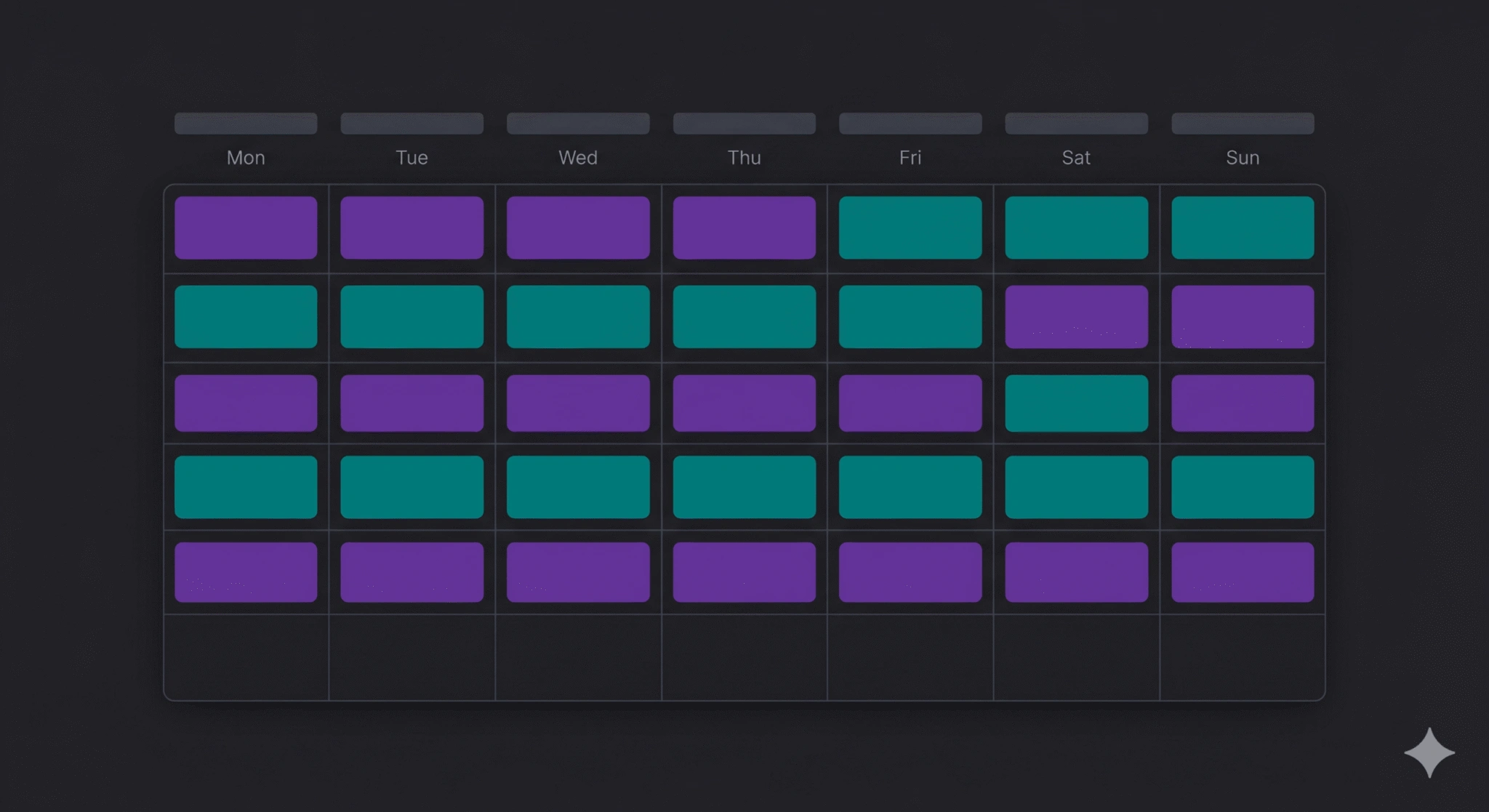
A social media content calendar should do one job: remove the friction from sitting down to plan. The most effective format for small businesses is a spreadsheet with exactly seven columns:
- Date — the scheduled publish date
- Platform — Instagram, LinkedIn, Facebook, etc.
- Content Theme — which of your 4 themes this post belongs to
- Format — image, video, carousel, or text post
- Draft Copy — the caption or key message, even as a rough note
- Visual Brief or Asset Link — photo already taken, graphic to brief, or video to film
- Status — draft, scheduled, or live
That is all. No colour-coded category systems. No ten-tab workbooks. The calendar works because it is the thing you actually open every week — not the thing you built once and never returned to.
Set up this spreadsheet in Google Sheets and share it with anyone involved in creating content. The act of filling it in is the planning session. Everything else is execution.
The Part Most Small Businesses Skip: Reviewing What Works
A content calendar is a planning document, not a publishing log. The most important column — the one most templates and guides omit — is a monthly performance review. Once per month, spend fifteen minutes looking at which posts generated the most reach, engagement, or direct enquiries. Which content theme performed best? Which format earned the most saves? Which day of the week saw the strongest response?
Use those answers to adjust next month’s calendar. A system that improves over time is not complicated — it is a feedback loop built into the process from the start.
Consistency Over Volume: The One Thing That Separates Businesses That Win on Social Media
Social media does not reward the businesses with the most resources. It rewards the ones with the most consistent presence. A content calendar does not solve a creativity problem — it solves a systems problem. When the system exists, showing up becomes a habit rather than a decision. Habits, unlike motivation, survive a busy week.
If your social media presence has been permanently on the to-do list, Tabula builds the content system — strategy, calendar, creation, and scheduling — so you own the process without spending your week on it. See what that looks like for a business like yours.
| Get a Social Media System That Runs Without You Tabula builds social media content systems for small businesses — strategy, calendar, content creation, and scheduling. You own it. We build it. Book a free consultation → |

Author
Carlos Rios
Carlos Rios is the Founder of Tabula. Before starting the agency, he spent his career inside companies — reporting to leaders who had no patience for vanity metrics and wanted straight answers about what was working and why. He built Tabula around that same standard: a marketing system the client owns, powered by AI and led by experts who explain the plan in plain language. Carlos studied philosophy for six years at York University and holds a Master's in Marketing from the Schulich School of Business.