AI Lead Generation for Small Businesses: A Practical System That Works

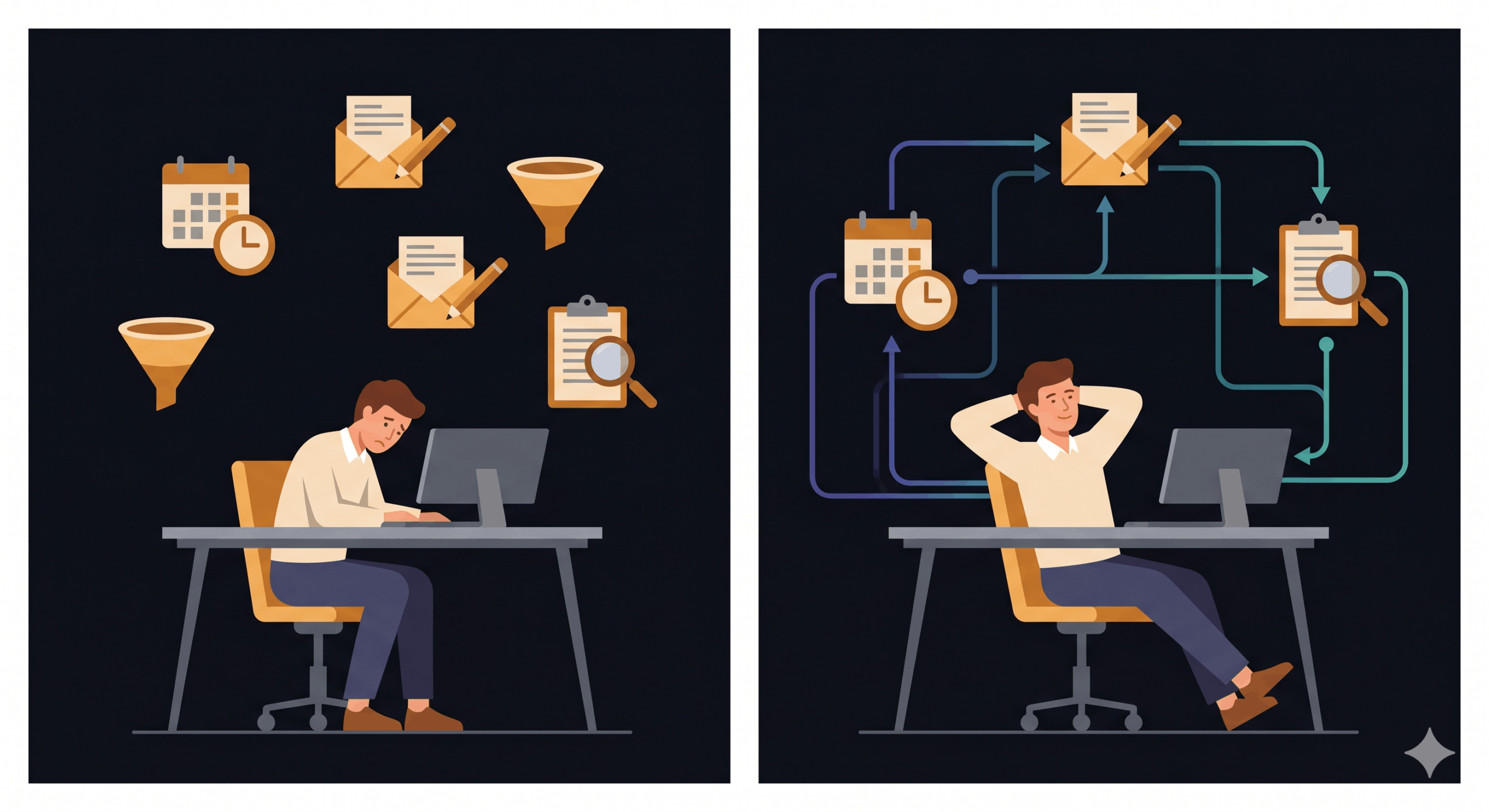
Every lead you do not follow up within 24 hours is a lead your competitor gets. For most small businesses, that is not a process failure — it is a capacity failure.
There are only so many hours in the day, and following up on every enquiry, qualifying every contact, and nurturing every prospect manually is a full-time job most SMB owners do not have.
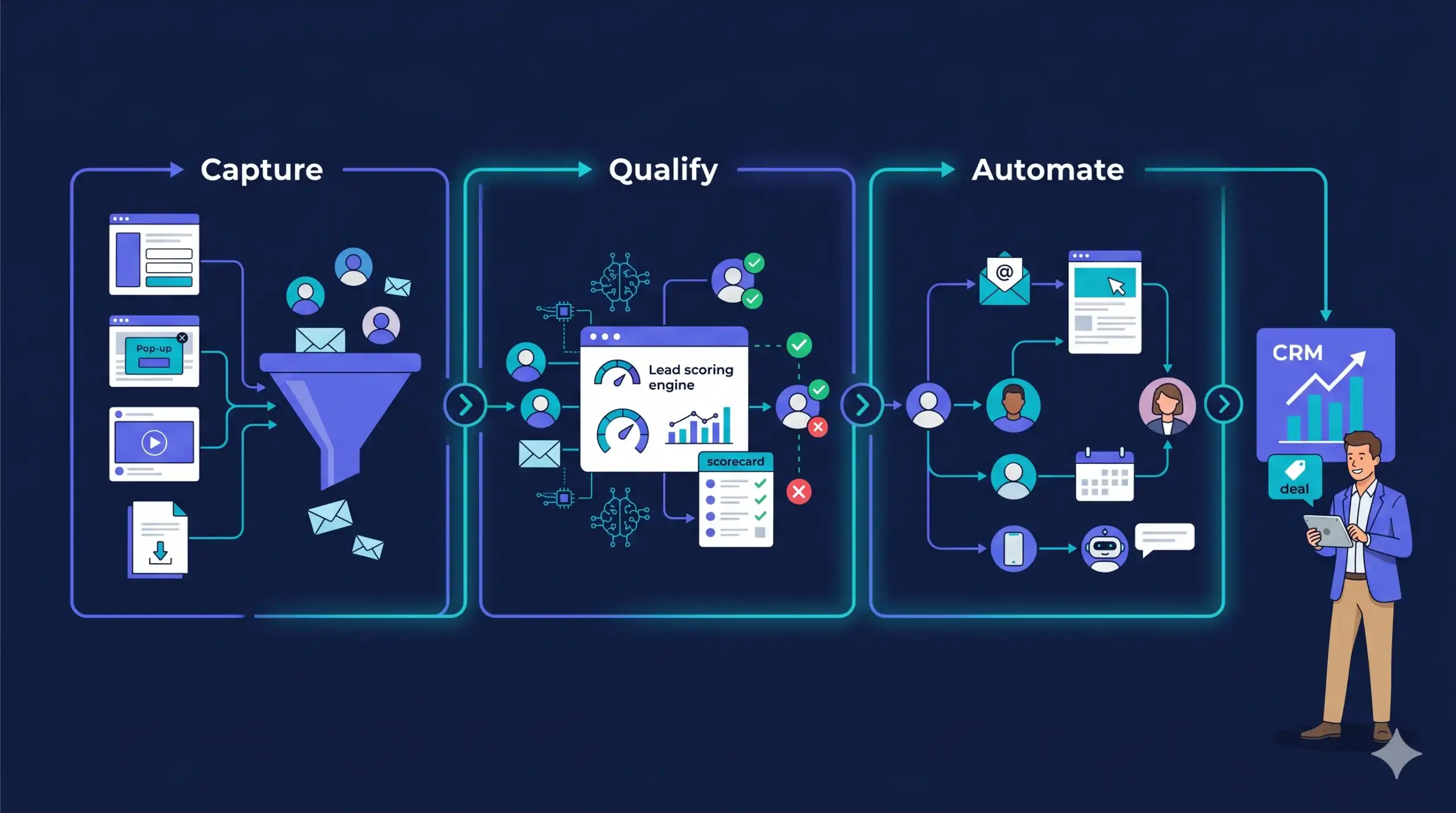
This is exactly the gap AI lead generation systems are built to close. Not AI in the vague, futuristic sense, but a connected sequence of tools that captures enquiries, qualifies them against your criteria, sends personalised follow-ups, and flags the hottest prospects before you have even seen their name.
Businesses using structured AI marketing systems report cutting their response time from days to minutes and seeing conversion rates on contacted leads improve significantly as a result.
By the end of this guide, you will know what a working AI lead generation system looks like for a small business, which components you actually need, how to connect them without a technical team, and the one mistake most SMBs make when they try to implement this.
An AI lead generation system for small businesses has four components: a capture layer (website form, chatbot, or landing page), a qualification layer (AI scoring or form logic), an automation layer (email or SMS sequences triggered by behaviour), and a CRM that holds the pipeline. You do not need all four on day one. Start with capture and automation — those two alone will outperform manual follow-up for most SMBs.
What Is an AI Lead Generation System?
An AI lead generation system is a connected set of tools and automations that captures potential customers, filters them by fit, follows up automatically, and surfaces the best prospects to your team without requiring manual input at each stage. It is not a single app.
It is a pipeline with logic built into it.
For a small business, this typically means combining a form or chatbot on your website with an email automation tool and a CRM.
The AI component sits in the middle: scoring leads based on their behaviour, triggering the right message at the right moment, and learning over time which prospect signals actually convert.
It is the same principle behind Tabula’s Build-Run-Train-Own model — the system does the consistent work so the business owner can focus on the parts that require a human.
The key distinction from traditional lead generation is timing and consistency. A manual process relies on someone remembering to follow up. An AI system responds in minutes, regardless of whether you are in a client meeting or away from your desk.
The Four Components of a Working System
Most SMBs who struggle with AI lead generation have the same problem: they have one or two of the components but not all four, so the system leaks. Here is what a complete setup looks like.
1. The Capture Layer
This is where a lead first identifies themselves. It could be a contact form, a lead magnet download, a chatbot conversation, a booked discovery call, or a paid ad click-through. The capture layer has one job: get the person’s contact details and enough context to route them correctly.
For most service businesses, a well-structured contact form or a simple chatbot handles this without any technical setup.
2. The Qualification Layer
Not every lead is worth your time. The qualification layer filters based on criteria you define: company size, budget, service fit, urgency. AI-powered CRMs can score leads automatically based on form answers and website behaviour.
A simpler version is form logic — if someone selects a budget below your minimum, they get a different follow-up sequence than someone who selects ‘ready to start now.’ Even that basic filter saves hours of qualification calls each week.
3. The Automation Layer
This is where most of the AI lives in practice. Once a lead is captured and qualified, automated sequences take over: an immediate confirmation, a follow-up 24 hours later with relevant content, a third touchpoint three days in if they have not replied.
Platforms like ActiveCampaign, Klaviyo, and Mailchimp all support behaviour-triggered sequences. If you would rather have this layer built for you, Tabula’s done-for-you AI marketing system takes a business from brief to live automation in under two weeks.
4. The CRM and Pipeline Visibility Layer
Everything above feeds into a CRM — a single place that shows you where every lead is in your pipeline, what they have engaged with, and what action is next. HubSpot’s free tier handles this for most SMBs under ten staff. The goal is not complexity.
At any moment, you should be able to open one screen, see your entire pipeline, know which leads are hot, and take action on the highest-priority ones without digging through emails.
How to Build the System in 30 Days Without a Technical Team
The most common mistake small businesses make when implementing AI lead generation is trying to automate everything at once. The result is a half-built system that never goes live. A better approach: build in stages, get each component working before adding the next.
And before the system can generate leads, people have to find you — which is where organic search and SEO form the foundation of your capture layer.
Week 1: Set up capture and CRM
Install HubSpot free or the CRM you already use. Add a contact form to your highest-traffic page. Connect the form to the CRM so every submission creates a contact automatically. That is it for week one. No automation yet. Just capture.
Week 2: Add qualification logic
Add two to three qualifying questions to your form: budget range, timeline, size of business. Set up a lead score in your CRM so contacts who answer in your target range get flagged as high priority automatically. Contacts who do not meet your criteria still get a follow-up, just a different one.
Week 3: Build the first automation sequence
Write three emails. Email one: immediate confirmation and what happens next. Email two (24 hours later): one piece of useful content relevant to their problem. Email three (day four): a soft invitation to book a call or ask a question. Set these to trigger automatically on form submission.
This sequence alone replaces a manual follow-up process and is what most businesses using this system describe as the single biggest time-saver in the first month.
Week 4: Add an AI chatbot to your website
At this point your system captures, qualifies, and follows up. The chatbot adds a layer that catches visitors who do not fill in forms. Configure it to ask the same qualifying questions, connect responses to your CRM, and trigger the same automation sequences.
Tidio and HubSpot’s chat tool both do this without code. If your website needs structural work to support these integrations — form placement, page speed, conversion-focused layout — that is worth addressing before the chatbot goes live.
What Results to Expect (and When)
Setting expectations matters here. AI lead generation systems are not a tap you turn on and immediately see results from. The first 30 days are build and calibration. Days 31 to 60 are where you start seeing the system pay for itself in time saved.
By day 90, most SMBs running a complete four-component system report that their pipeline is both larger and cleaner: more leads, better qualified, fewer wasted sales conversations.
The specific metric to track in the first 90 days is not volume of leads. It is response time and follow-up rate.
If your average response time drops from 48 hours to under 30 minutes, and your follow-up rate goes from 60% to 95%, that alone changes your conversion economics before any AI intelligence has had time to learn.
The Mistake That Kills Most AI Lead Generation Attempts
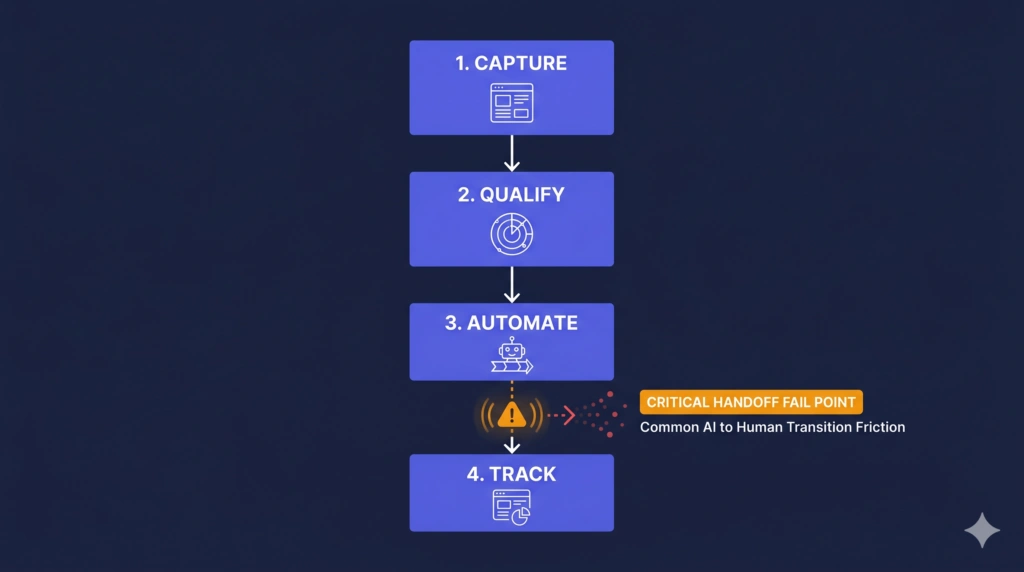
The most common failure point is not the tools. It is the handoff. Businesses automate the first contact but then drop the lead back into a manual process for qualification or follow-up.
The automation does the work, gets the lead warm, and then it sits in someone’s inbox waiting for a response that comes three days later.
The fix is straightforward. The system should carry the lead all the way to the point where a human is genuinely needed — for most service businesses, that is the discovery call. Everything before that call can and should be automated.
Knowing exactly where that handoff point sits, and designing the system around it, is the core logic behind Tabula’s Build-Run-Train-Own framework and the thing that separates SMBs that see results from those that abandon the project in month two.
Questions Small Business Owners Ask About AI Lead Generation
Does AI lead generation work for service businesses without a lot of website traffic?
Yes, and in some ways it works better for lower-traffic sites because every lead matters more. The system ensures that when a visitor does express interest, no contact goes uncontacted and no follow-up is missed. A site receiving 50 qualified visitors a month benefits more from a 95% follow-up rate than a high-traffic site with a 40% follow-up rate.
How much does an AI lead generation system cost to run?
A functional four-component system can be built for under $100 per month using HubSpot free tier, Tidio’s starter plan, and either Mailchimp or ActiveCampaign’s entry tier. The cost scales as you add contacts or more sophisticated automation. For most SMBs under 1,000 contacts, the total stack sits well under $150 per month.
Will automated follow-ups feel impersonal to prospects?
Only if they are generic. The emails that feel impersonal are the ones that treat every lead identically. A system that uses the lead’s stated problem, their business size, and their timing to personalise the sequence does not feel automated — it feels attentive. The goal is not to replicate a human voice. It is to respond faster, more consistently, and with more relevant content than a human could manage manually.
AI lead generation for small businesses is not about replacing the human relationships that win clients. It is about removing the structural reasons why those relationships never start: slow response times, missed follow-ups, inconsistent qualification, and a pipeline that only moves when someone remembers to push it.
The four-component system in this guide — capture, qualify, automate, track — is not a vision of what AI might do for your business eventually. It is what small businesses are using right now, built in 30 days, with tools that cost less than most monthly software subscriptions.
The question is not whether you can afford to build this. It is what it costs you to keep running without it.

Author
Carlos Rios
Carlos Rios is the Founder of Tabula. Before starting the agency, he spent his career inside companies — reporting to leaders who had no patience for vanity metrics and wanted straight answers about what was working and why. He built Tabula around that same standard: a marketing system the client owns, powered by AI and led by experts who explain the plan in plain language. Carlos studied philosophy for six years at York University and holds a Master's in Marketing from the Schulich School of Business.